If you are seeing pop-up warnings or adverts from Firefox, a website may have permission to send you notifications. You can check and remove this permission in Firefox's settings.
- Open Firefox.
- Click the three lines in the top right corner, then click Settings.
- Click Permissions and data on the left.
- Click the Notifications button under Permissions.
- Select any website you don't recognise and click Remove Website, or choose Block from the drop-down next to it to stop it asking again.
- Click Save Changes.
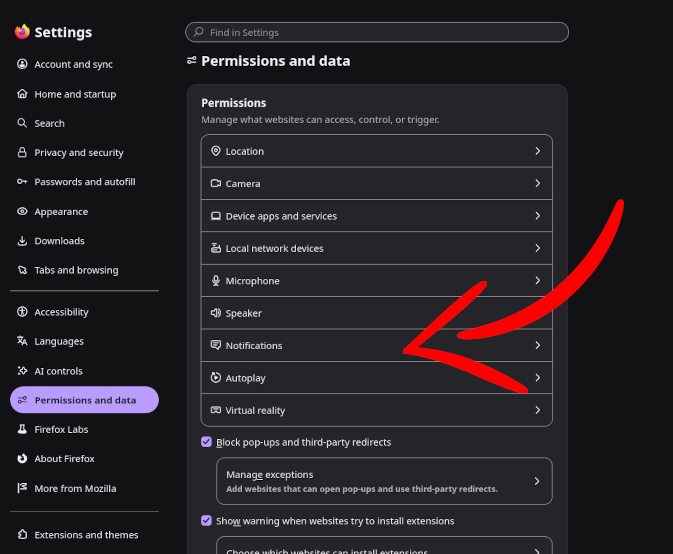
Once removed, that website can no longer send you notifications.
For more detail, see Mozilla's guide: https://support.mozilla.org/en-US/kb/push-notifications-firefox