
Blogs, Videos and Articles

Deep Dive: Using OPNsense with Tailscale

In this post, we’ll take a deep dive into integrating OPNsense with Tailscale. Whether you’re looking to access your OPNsense web interface…

OPNsense 25.7.7 Released – Key Improvements, Fixes, and Why You Should Upgrade

The latest update to OPNsense, version 25.7.7, has landed, bringing with it a strong focus on security hardening, performance enhancements,…

Upgrading the UGREEN DXP4800 Plus NAS with NVMe Cache Drives

In the last couple of videos, we’ve been diving into the UGREEN DXP4800 Plus NAS, setting it up from scratch and exploring what it can real…

Unboxing and Setting Up the UniFi U7 Pro

I’ve just received a UniFi U7 Pro, which I’ll be setting up for a client. In this post, I’ll walk you through the unboxing, setup, and adop…

UniFi AC Flex HD Review: Still Worth It in 2025?

I’ve covered a lot of UniFi devices over the years — from access points and switches to cameras — but one device I haven’t talked about unt…

OPNsense 25.7.6 Release Overview – What’s New and How to Upgrade

OPNsense 25.7.6 has just been released, bringing another round of improvements and refinements to the popular open-source firewall and rout…

Fix DaVinci Resolve crashing on Arch Linux after system update (October 2025)

If DaVinci Resolve suddenly stopped launching after you ran a system update on Arch Linux, you’re not alone. Right after updating Arch Linu…

UGREEN NAS RAM Upgrade – Expanding Memory on the DXP4800 Plus

Upgrading the memory in your UGREEN NAS can make a surprising difference to performance, especially if you’re running Docker containers, vi…
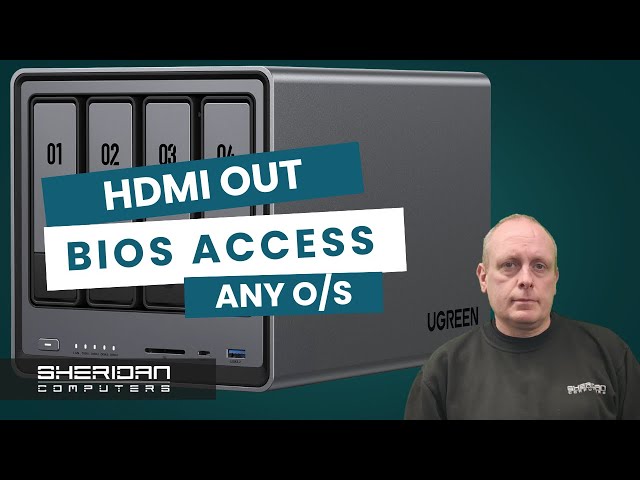
UGREEN NAS DXP4800 Plus Review and Setup – Full Walkthrough

After years of using Synology, TrueNAS, and other NAS systems, I didn’t expect much from UGREEN’s new NASync range. However, when UGREEN se…

Got Questions?

Find quick answers to common IT support questions

How quickly can you respond to IT issues?

While many companies claim a 15-minute response, we guarantee a one-hour response time for urgent issues. This realistic timeframe allows our expert team to mobilise properly and arrive fully prepared to diagnose and resolve the problem efficiently - ensuring quality support rather than a rushed service.

How long has Sheridan Computers been established?

Sheridan Computers was established in 2001, so we've been looking after business IT for 25 years.

Browse the Knowledge Base

IT Emergency?

Give us a call.

Help & Support
Standard Support Hours

Monday - Friday 8:00 - 17:00
Saturday Closed
Sunday Closed
Other Ways to Reach Us
24/7 Emergency Support

Critical issues? Our emergency team is available 24/7 for clients with 24/7 cover.

Emergency Support Line