If you are suddenly seeing repeated virus warnings pop up on your screen, they may be coming from website notifications in your web browser rather than from antivirus software.
This often happens after a website has asked you to click "Allow" for notifications. Once allowed, that website can send pop-up notifications through Chrome, Edge, Firefox or Safari, even when you are not currently visiting the site.
These notifications can be made to look like virus warnings, security alerts or expired antivirus messages. They usually appear in the corner of your screen and show the name of your browser or a website address, rather than the name of your antivirus program.
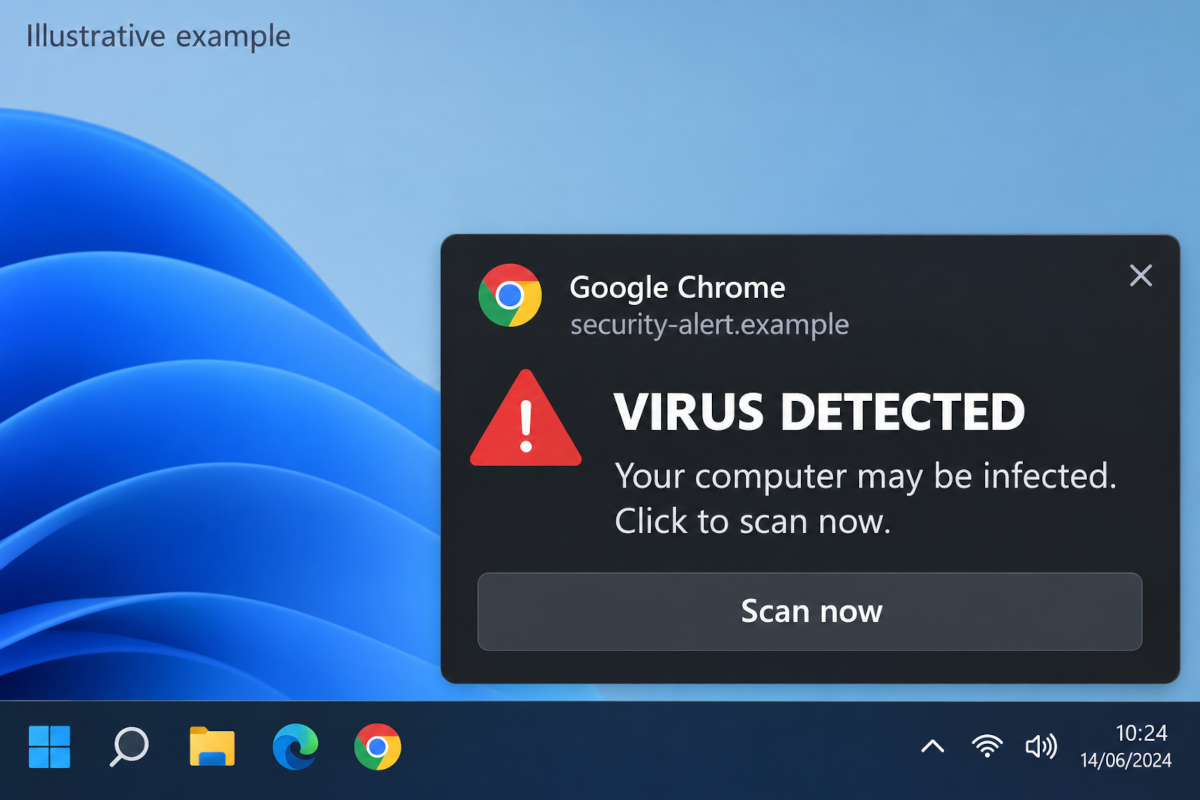
Please don't click on these warnings, download anything they offer, or call any phone number they display.
The good news is that this does not necessarily mean your computer is infected. In most cases, blocking notifications from that website will stop the warnings.
To check which websites can send you notifications and remove any you don't recognise, see our guides for Google Chrome, Microsoft Edge, Mozilla Firefox or Apple Safari.